
Do you want a solution that will help you migrate Gmail emails to Yandex account very easily and with accuracy? If yes, then this article will help you because we have shared the two best solutions to import emails from Google mailbox to Yandex. Here, you will get all the information about the process with the most accurate solutions.
Gmail is a cloud-based email platform used for personal and business communication. It provides a clean interface, integrated apps, and excellent email organization features.
Just like Gmail, Yandex Mail is also a popular webmail service in Russia. It offers reliable email services, cloud storage, spam protection, calendars, and productivity tools. Because of its intuitive design, many users prefer shifting to Yandex Mail for a fresh environment or better control over their communication.
Why to Migrate Gmail to Yandex Mail?
- Yandex offers generous free storage space.
- It can be accessed from any browser or device easily.
- Its spam filtering is strong and keeps your inbox clutter-free.
- It integrates smoothly with other Yandex services.
- The Yandex mobile app allows easy email management anytime.
How to Transfer Gmail Emails to Yandex Manually?
Since there is no direct option available to move your mailbox to Yandex Mail, you can take the help of IMAP settings.
Prerequisites Before Using This Method
- Locate Gmail IMAP Settings: You will need the incoming/outgoing server settings before adding Gmail to Yandex Mail.
- IMAP Server: imap.gmail.com ; Port: 993 ; SSL: Yes
Follow the below steps:
- Log in to your Gmail account. Go to Settings>> See all settings.
- Open Forwarding and POP/IMAP tab and Enable IMAP.
- Log in to your Yandex Mail account.
- Click the Settings gear icon.
- Go to Message collection or Add mailbox.
- Enter your Gmail address.
- Choose IMAP as the method.
- Enter Gmail login ID and App password.
- Yandex will start fetching all Gmail emails through IMAP.
Limitations of Manual Procedure
- Syncing large Gmail mailboxes may take many hours.
- You may need to manually organize folders inside Yandex.
- IMAP syncing errors may occur.
- Requires technical knowledge of server settings.
- No guarantee of complete transfer.
- Attachments or large folders may fail to sync.
How to Transfer Gmail to Yandex Mail Professionally?
Gmail Backup Tool is the best and most reliable solutions to transfer Gmail emails to Yandex Mail. The software can transfer large number of email in just a few clicks only. To migrate your data, simply enter Gmail login credentials in the tool along with Yandex IMAP details. The tool is very easy to use. Its simple interface allows even non-technical users to utilize it without any hassle. You can also download the free demo version to test its features.

Complete Steps to Export Gmail Emails to Yandex Mail are:
- Install the software on your Windows computer.
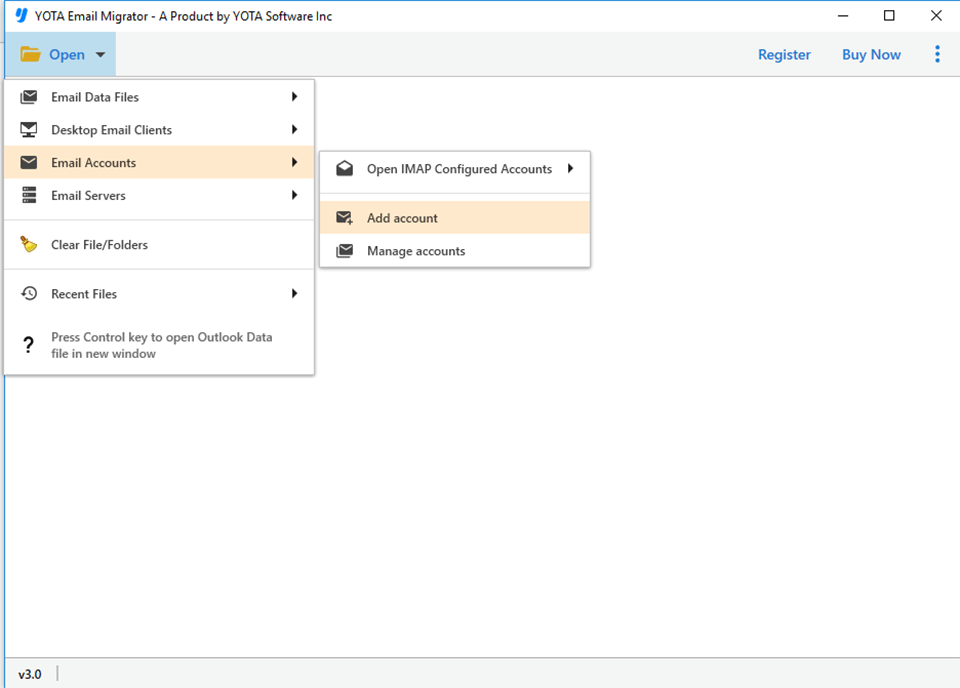
- Go to Open>> Email Accounts>> Add Account.
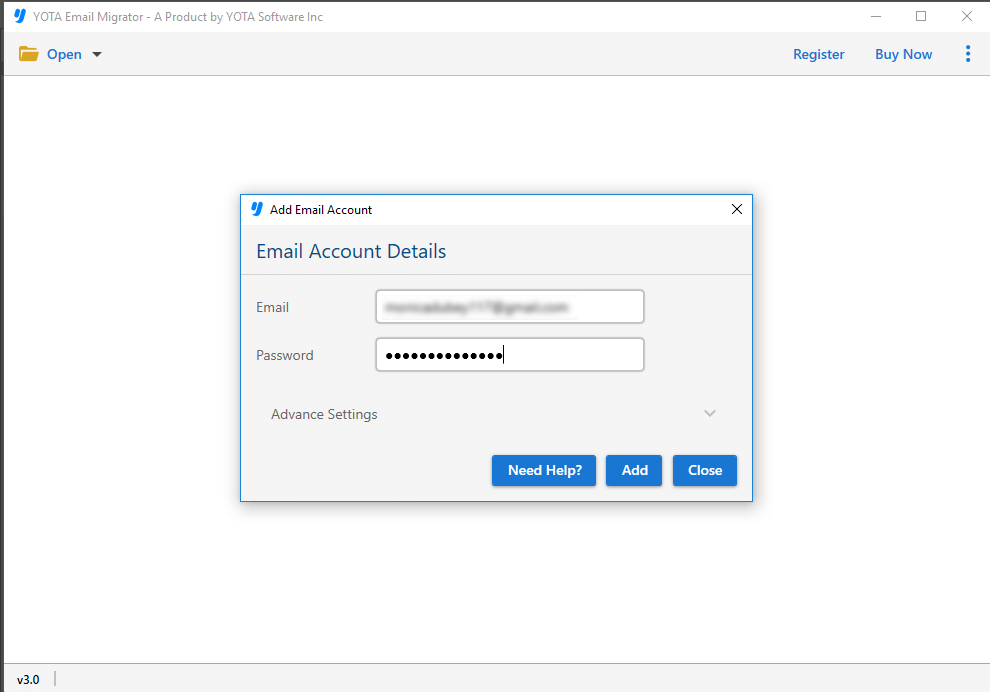
- Now, enter your Gmail account details and login.
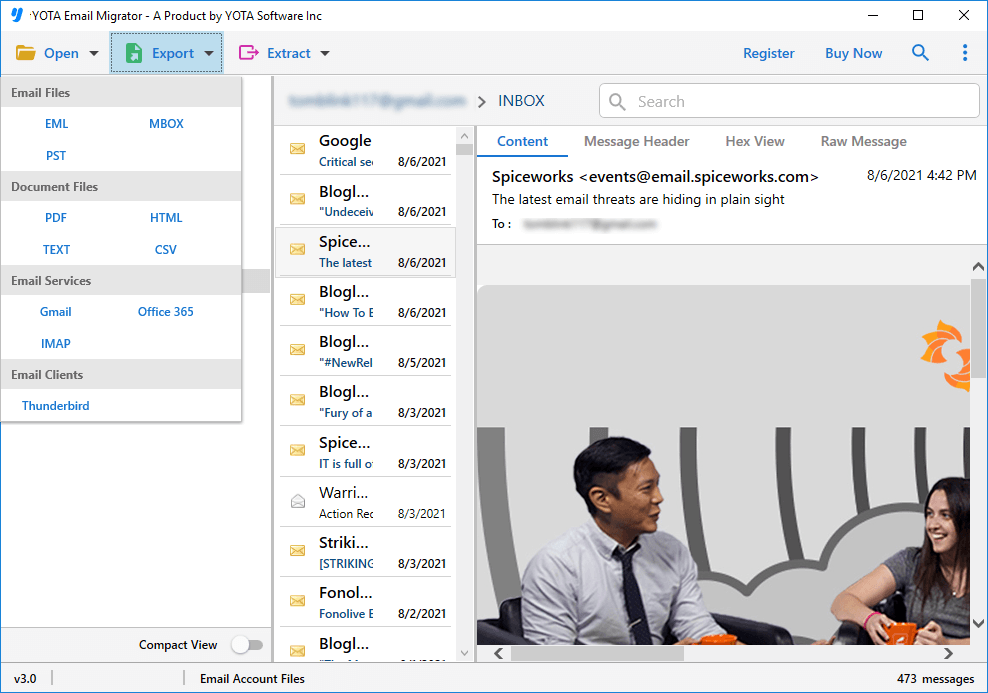
- Choose the Gmail folders you want to transfer.
- Now, click on Export and select IMAP from the saving options.
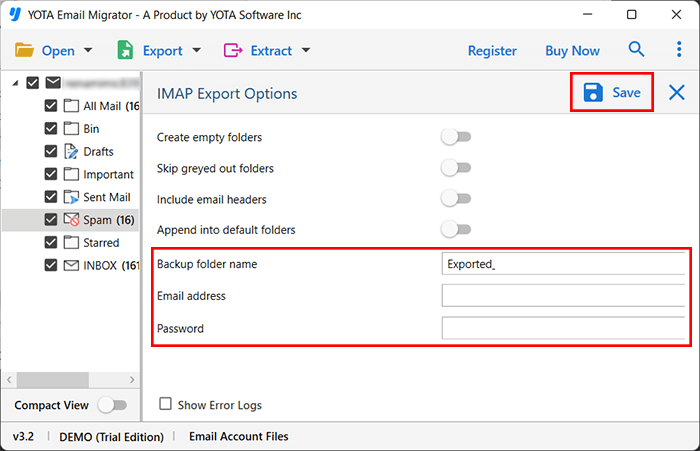
- Enter your Yandex Mail login details. Hit the Save button.
That’s it!
Top Advantages of Professional Tool
- Move complete Gmail mailbox directly to Yandex Mail.
- Choose only required emails using advanced filters such as date, time, etc.
- Keeps folders structure and meta elements of emails intact.
- No technical knowledge required due to its straightforward panel.
- Standalone utility without needing external tool or plugin.
- Compatible with all Windows OS.
Frequently Asked Questions
Can I download Gmail emails directly to Yandex Mail?
Yes, using a professional tool you can directly move your Google account to Yandex Mail.
What happens to old Gmail emails after migration?
They will remain in your Gmail account unless you delete them manually.
Is it safe to use the automated tool?
Yes, it is highly trusted software that does not store any of your credentials in its database.
Conclusion
In the above article, we have discussed the two best solutions to transfer Gmail email to Yandex Mail accounts. We explained both manual and professional solutions so you can choose the method according to your requirements. Although, manual method is free but it comes with some limitations. To eliminate them, you can try the automated tool. It is the safest and most reliable way to migrate Gmail to Yandex without losing data. You can also test the free demo version that allows migrating a limited number of emails before purchasing.