
In this guide, we will explore the most reliable method to transfer Gmail emails to iCloud without losing any data. Many users are searching for the step-by-step process to move Gmail to iCloud due to several reasons like they prefer Apple’s secure ecosystem, better integration across devices, and a clean webmail interface.
Here, we have discussed the complete steps to transfer Gmail to iCloud Mail without any extra hassle. Before getting into the complete migration process, let’s have a quick look at iCloud Mail.
iCloud Mail is a cloud-based email service that offers secure communication and seamless syncing across all Apple devices. With iCloud Mail, users can send and receive messages, store attachments, organize folders, and access their mailbox from any iPhone, iPad, Mac, or browser. It has a clean interface, powerful filter options, and advanced features. Because it works under a single Apple ID ecosystem, users get smooth access to Mail, Notes, Contacts, Calendar, Photos, and iCloud Drive.
Reasons to Import Gmail Emails to iCloud
- Moving emails to iCloud helps manage everything under a single Apple ID.
- It becomes easier to organize mail, contacts, and files in one cloud platform.
- iCloud Mail provides a clean, fast, and ad-free interface.
How to Transfer Gmail to iCloud Directly?
If you are looking to migrate emails from Gmail to iCloud account, then using Gmail Backup Tool is the best idea. It allows you to bulk export Gmail emails to iCloud mailbox in a single process only. There are no limitations to perform the migration of emails with this utility.
Download the software from the below button:

Complete Steps to Export Gmail Mailboxes to iCloud Mail are:
- To start, download and install the tool on your computer.
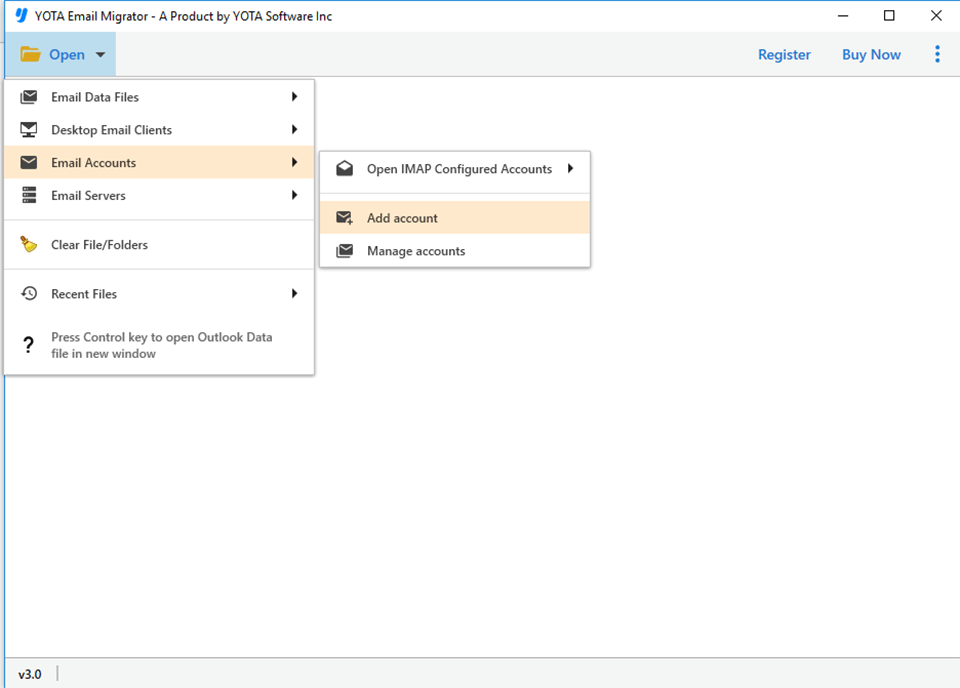
- Next, go to Open>> Email Accounts>> Add Account.
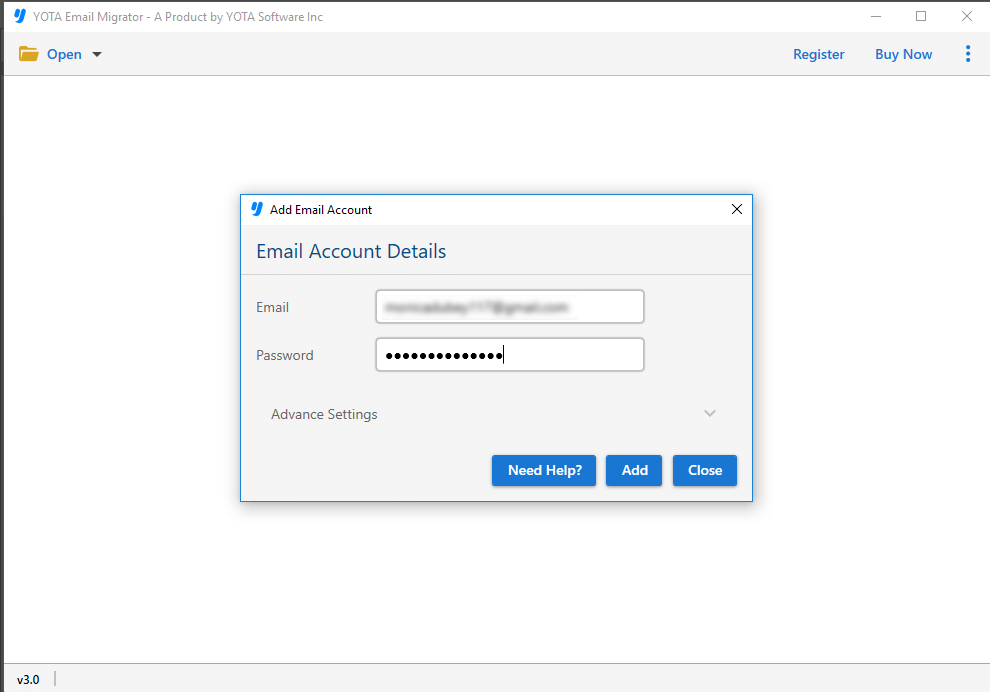
- Now, enter your Gmail account login details.
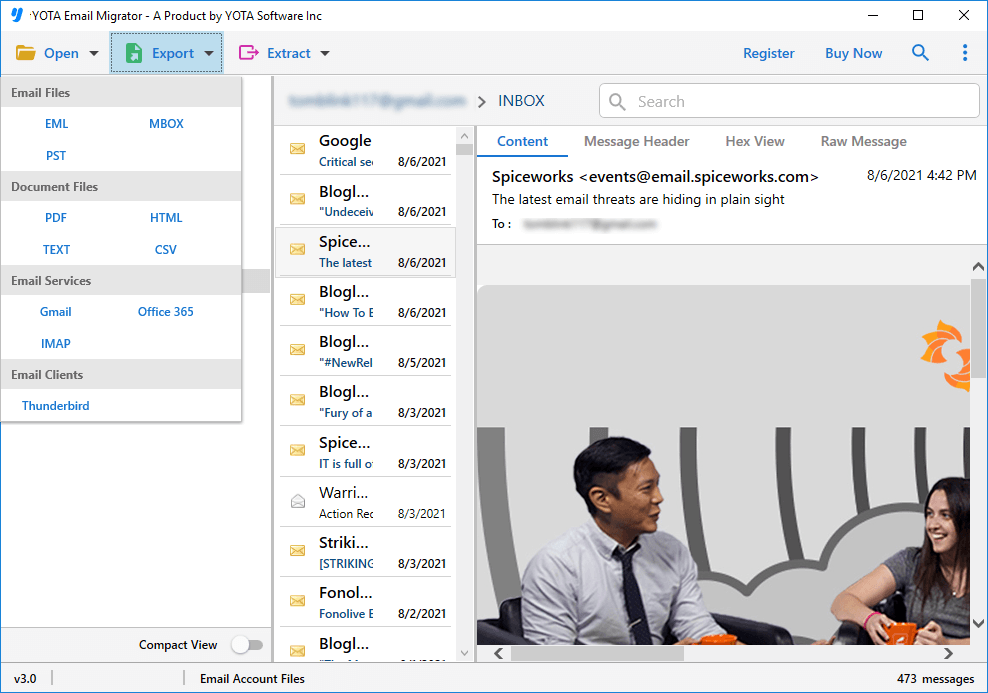
- After this, go to Export and select IMAP from the saving options.
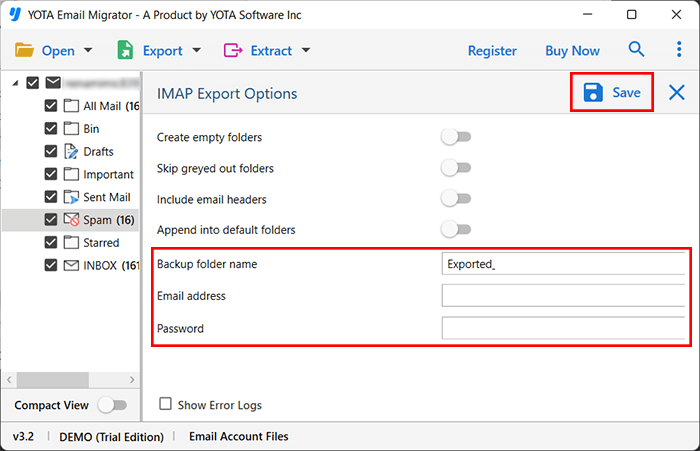
- Enter your iCloud email address and password in the required fields. Hit the Save button.
Once the process completes, a confirmation message will appear. Finally, you can view all imported Gmail emails in your iCloud account.
Benefits and Features of Automated Tool
- You can transfer Gmail emails to iCloud along with all associated attachments using this tool.
- This software allows you to migrate emails from a single Gmail account as well as multiple domain users to an iCloud mailbox.
- The utility is suitable for both personal and business users. You can transfer personal emails or migrate Google Workspace-based Gmail accounts to iCloud Mail.
- This tool can export all default folders like Inbox, Sent, Trash, Starred, Labels, and custom folders.
- It keeps the mailbox structure intact throughout the migration process.
- It offers various filters such as date range, to, from, subject, and more to move only the required data to iCloud .
- Users can download the utility on all versions of Windows OS including Windows 11, 10, 8.1, 8, 7, and Server editions.
Summing Up
Migrating data from Gmail becomes difficult when the mailbox size is very large. But automated tools reduce such issues by offering a direct and accurate steps to move the mailbox without any complex steps. In this blog, we have explained the complete method to transfer Gmail to iCloud with attachments. The tool recommended here is very easy to use and suitable for beginners as well as professionals.